Your athletes have been collecting Blast data all season. Now their coaches can get answers from it in seconds — without touching a single dashboard.
The Blast sensor captures a lot. Bat speed, attack angle, time to impact, on-plane efficiency — every swing your players take builds a detailed picture of their development over time.
But that picture has always lived inside dashboards. And dashboards require someone to go looking. Filtering by player, sorting by metric, pulling up the right date range — it works, but it takes time that most coaches don’t have between sessions, practices, and games.
The data your athletes have been collecting deserves a faster path to the people who can act on it.
Introducing Coach Chat, Now Connected to Your Blast Data
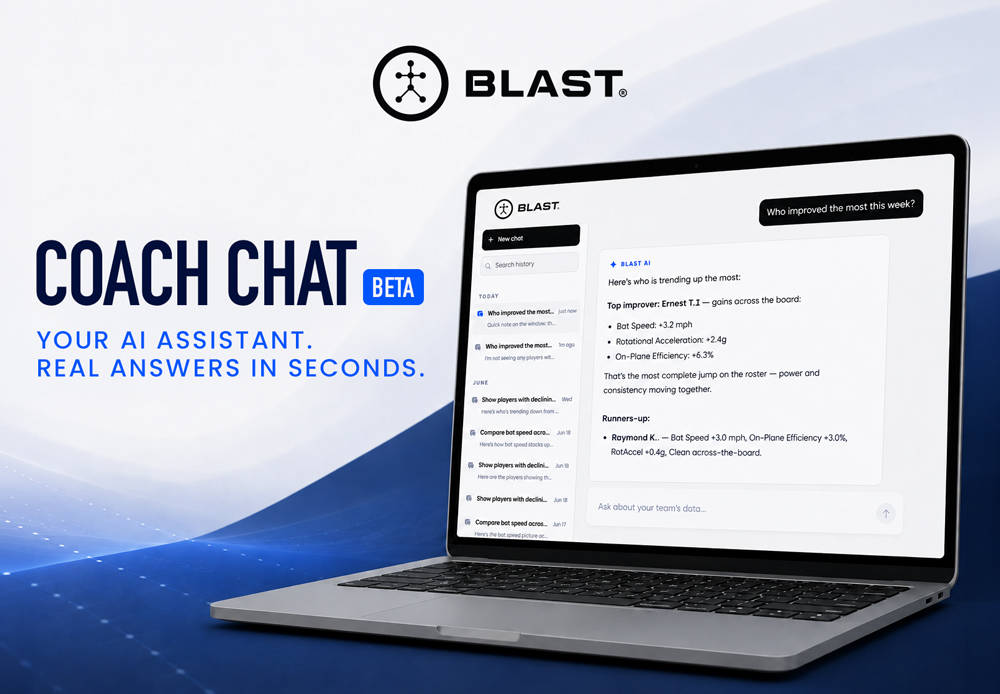
Coach Chat is a new AI assistant inside Teams Hub at teams.winreality.com. Coaches type a plain-English question about their players and get a structured answer pulled directly from the Blast swing data connected to their account — ranked lists, flagged outliers, benchmarks — in seconds.
No new app. No new login. If your players’ Blast data is already linked to a Teams Hub account, it’s already working.
What Coaches Can Ask
Coach Chat turns the data your players have already collected into answers coaches can act on immediately:
- “Who improved the most this week?”
- “Compare bat speed across my roster”
- “Show players with declining metrics”
- “Generate a Blast Batting Report”
And those are just starting points. Coaches can follow up naturally — drilling into a specific player, pulling a longer time window, or flagging an outlier for closer attention — all in the same conversation.
The Data Your Players Collected Is Doing More
Here’s what this looks like in practice. A coach asks one question. Coach Chat reads the Blast session data from their roster and returns this:
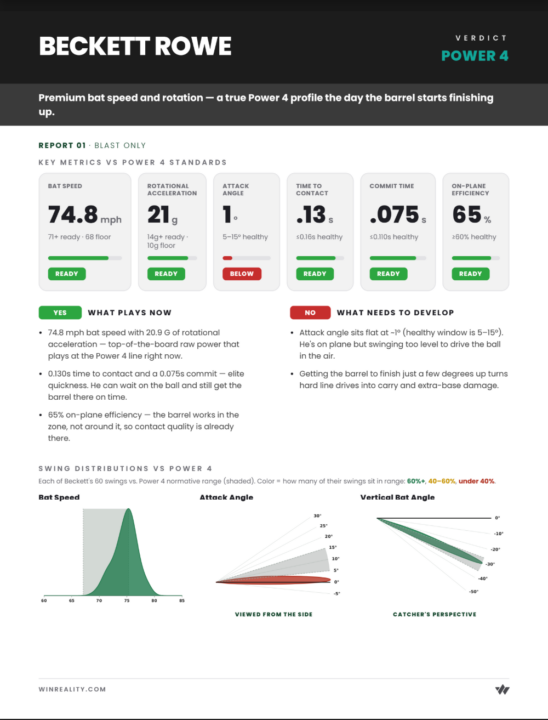
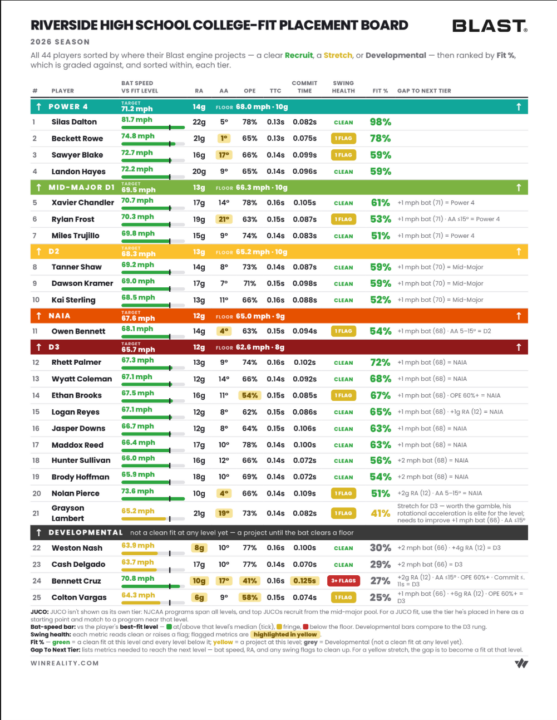
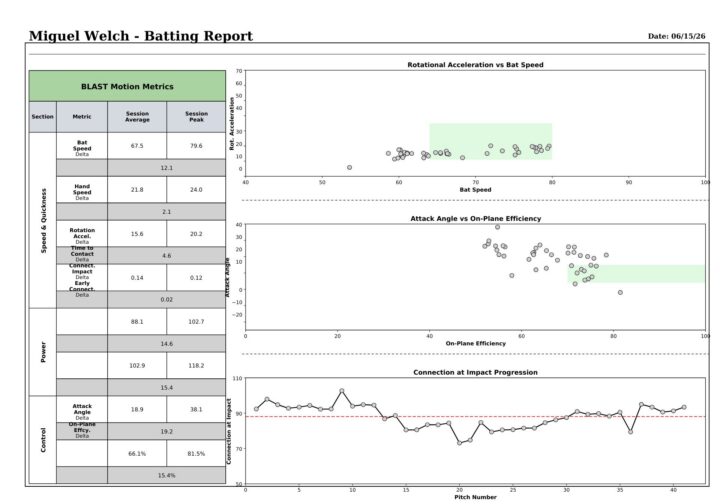
That’s the same data that was always in the Blast platform — now surfaced instantly, in the format coaches actually need.
Who This Is For
Coach Chat v1 is built around hitting and bat swing data, which means it’s most directly useful for:
- Hitting coaches tracking development across a roster
- Head coaches who want a fast read on offensive trends
- Private instructors monitoring individual player progress over time
Roster size doesn’t matter — the questions scale whether you’re working with two players or forty.
A Note on Beta
Coach Chat is in beta. Responses are AI-generated from your Blast session data and may not always be accurate. We’re actively improving it, and coach feedback from real-world use is the fastest way to make it better. If something looks off, let us know — we read every message.
How to Access It
Coach Chat lives inside Teams Hub at teams.winreality.com. If your players’ Blast data is already connected to a Teams Hub account, no setup is required — log in and ask your first question.
If you’re not yet using Teams Hub, it’s where your Blast data goes to work for your coaches. Learn more at teams.winreality.com.